
Install Sitekoom Attendance and try it free
Download the program, enter your data in the “before the trial” stage, then press “Start the trial”.
- Reading time
- 3 min read
- Steps
- 6 steps
- Level
- Beginner
- Updated
- Updated November 1, 2026
The trial is free and needs no account, once per computer. It starts with a setup stage where you enter your company's data at your own pace; the trial days only start when you press “Start the trial”.
1Download and install the program
On the “Sitekoom Attendance” page press “Download the program”, then run the installer on the computer that will keep the data. It runs on Windows 10 and 11.
Install it on the main computer first. Other computers in the company are added later from “Add a computer”.
2Create the Super Admin account
On first launch the program creates the first account, the “Super Admin”: it holds every permission, activates the licence and adds users and roles.
3The “before the trial” stage: enter your data
A “Setup before your trial” banner shows. Enter the company, branches and departments, the employees and their shifts, the fingerprint devices, and users and roles. You can import employees from an Excel file.
Punches arrive from the devices and are kept so you can check they work, but no attendance is counted in this stage.
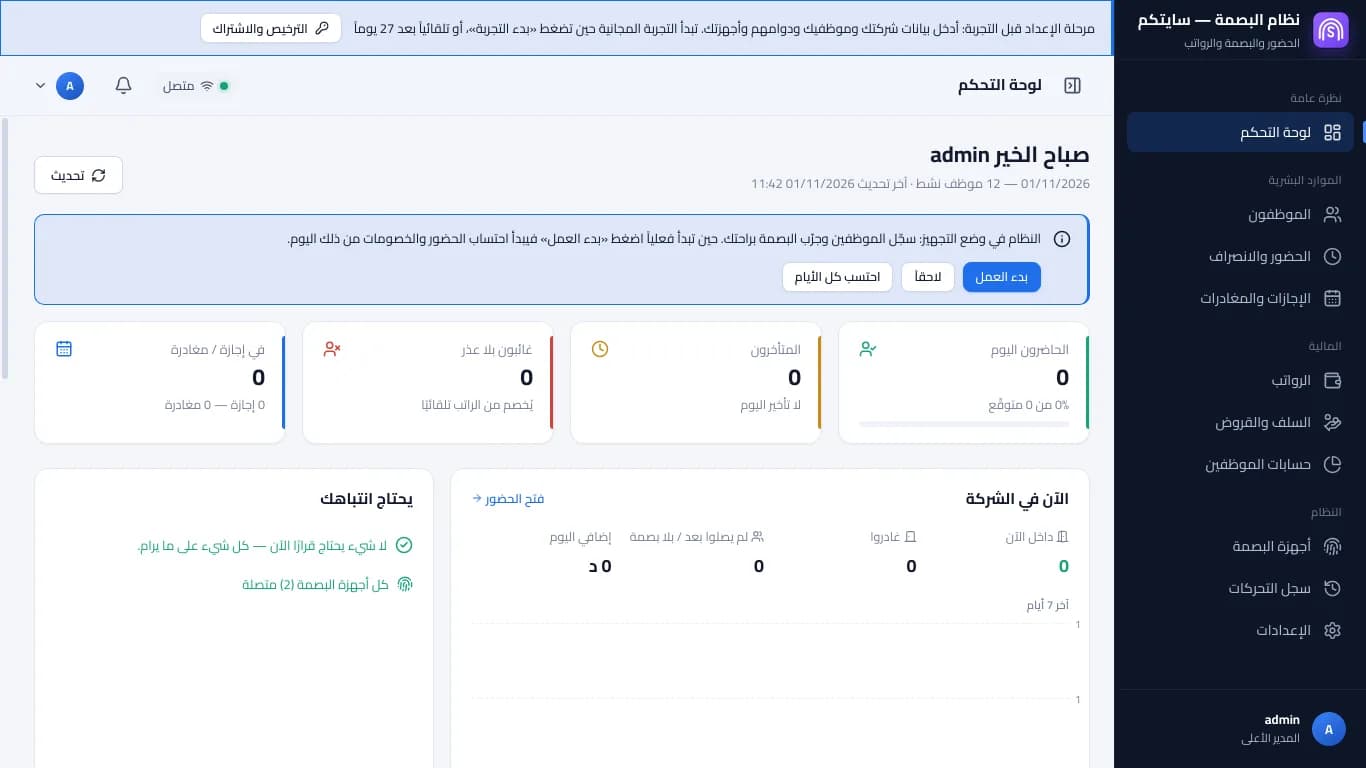
A new computer before its trial: the setup bar and the «start work» bar · Arabic interface 4What waits for the trial
Recording attendance, leave, payroll, advances and deductions, and tasks open once the trial starts. If you try them, the program reminds you that this is the time to enter your data only.
5Press “Start the trial”
When you're ready, press “Start the trial” and confirm. The free trial starts today: attendance is counted and payroll opens. If you don't press it, the trial starts by itself when the setup stage ends.
You can't go back to the setup stage after the trial starts, and the trial can't be repeated on the same computer.
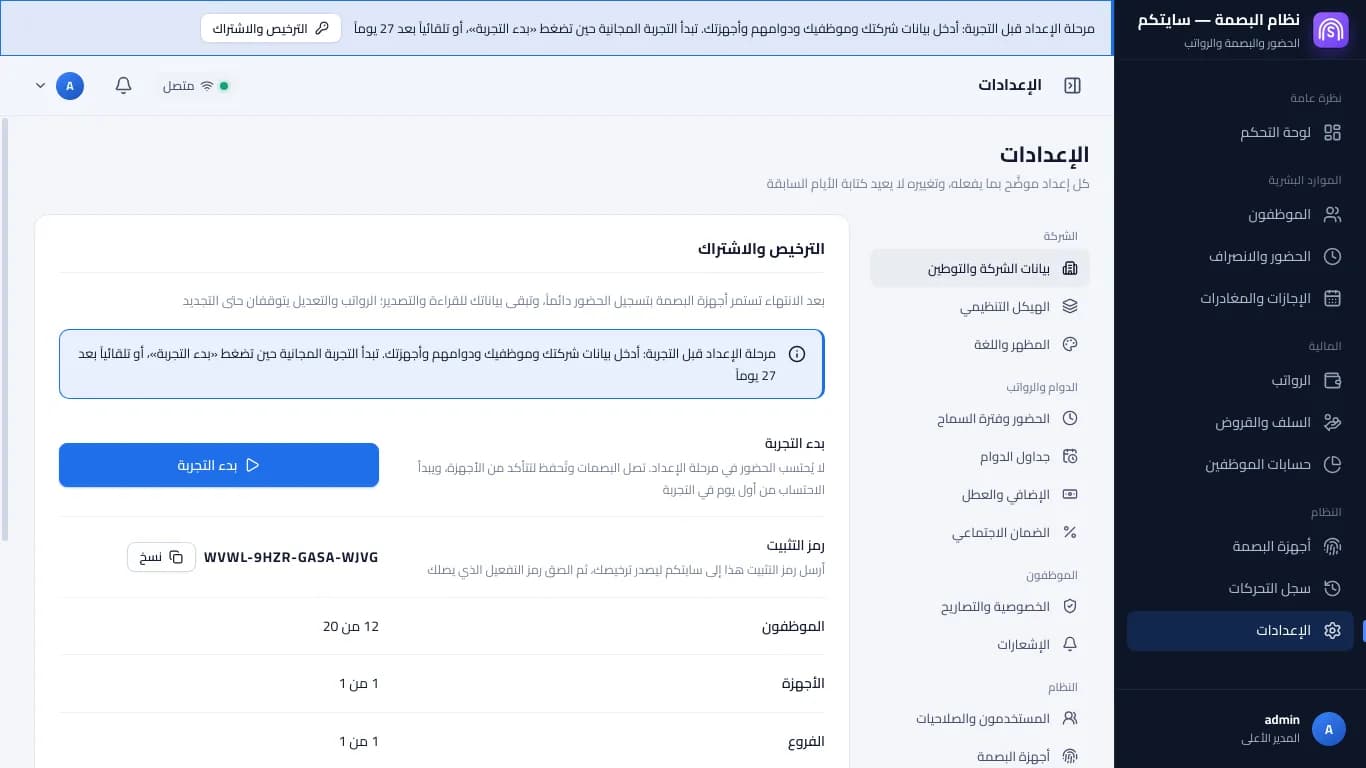
Licence and subscription during setup: the setup days and the «start trial» button · Arabic interface 6Keep an eye on the trial days
The top bar shows “Free trial — N days left”. When you subscribe, your data and employees stay as they are; see the lesson “Activate Sitekoom Attendance”.
FAQ
No. Setting the clock back or turning the computer off adds no days.
