
Sitekoom Attendance
Staff attendance from fingerprint devices, shifts and leave, and payroll calculated from attendance — a program on your computer that works even offline.
For Windows 10 and 11 · no account to try itHikvision fingerprint devices that support network integration — check your model with our team
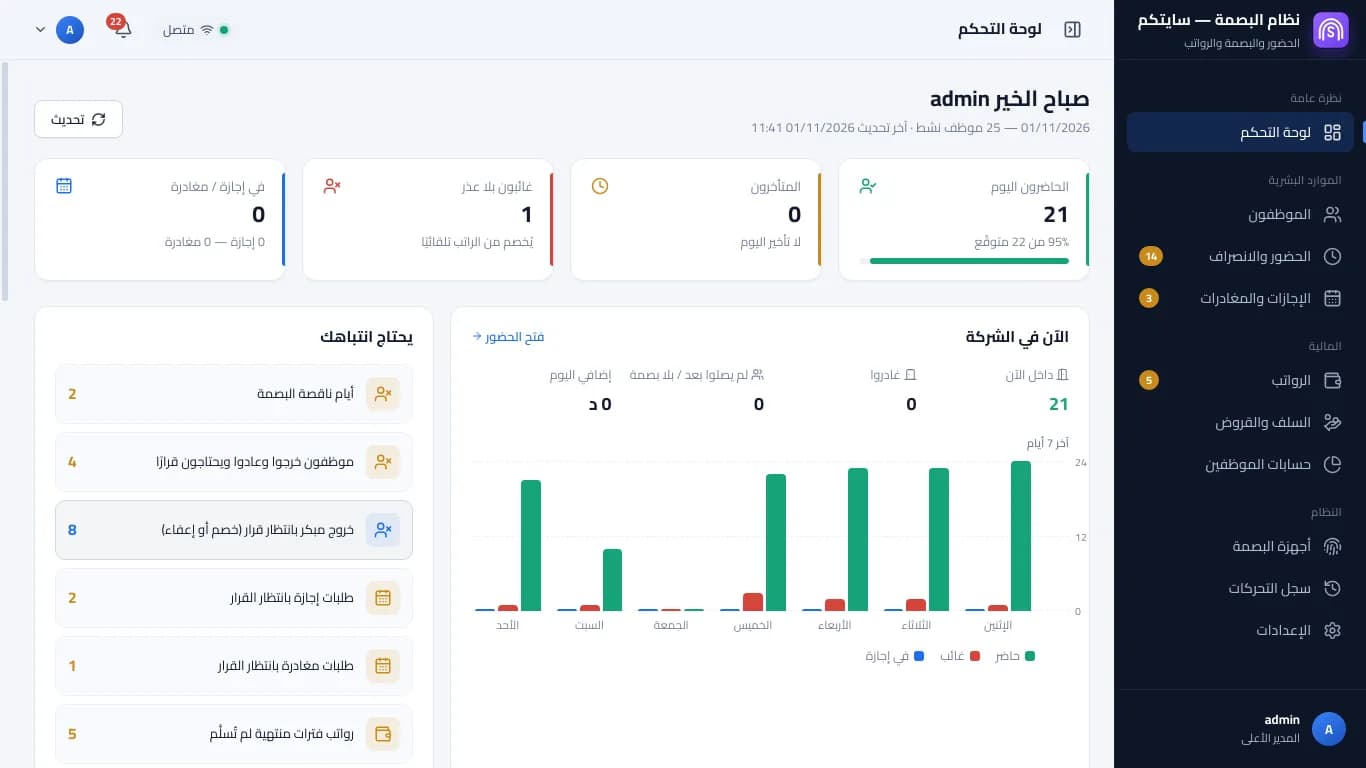
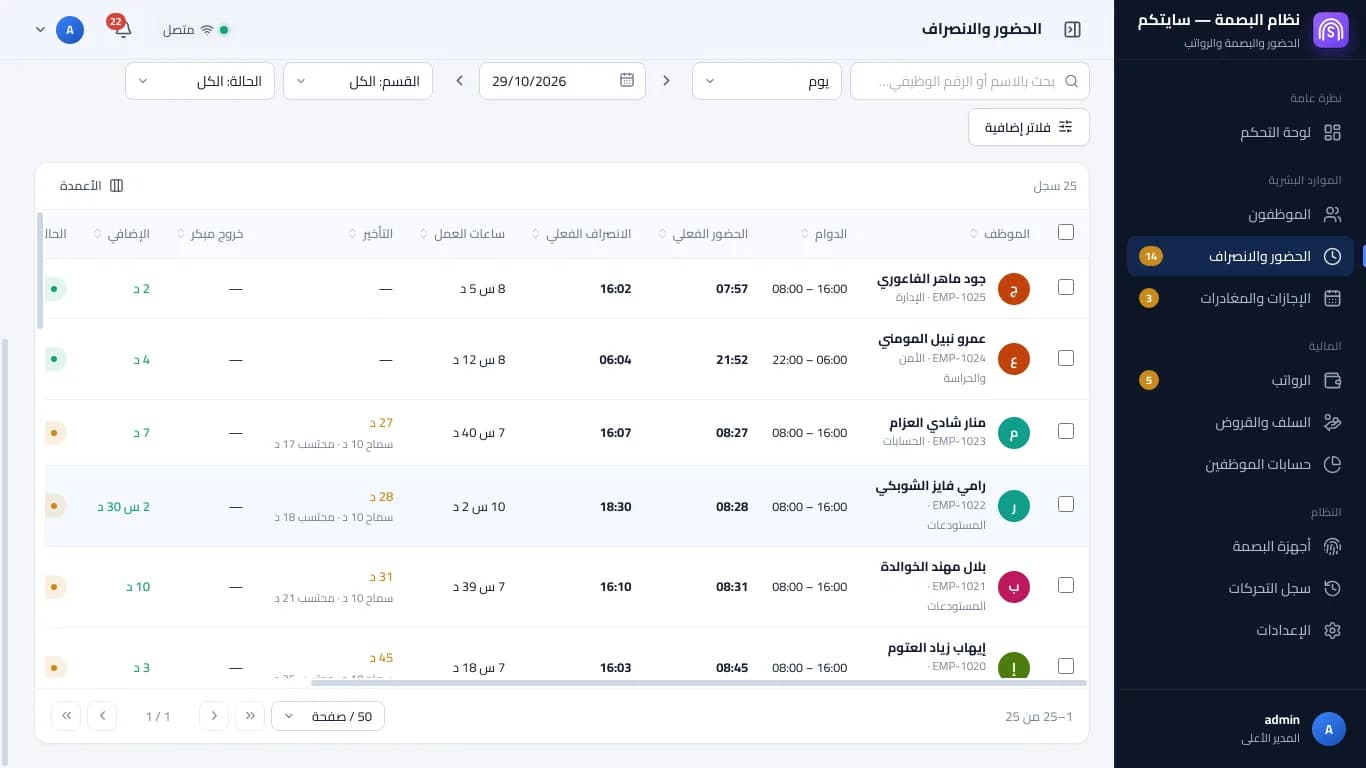
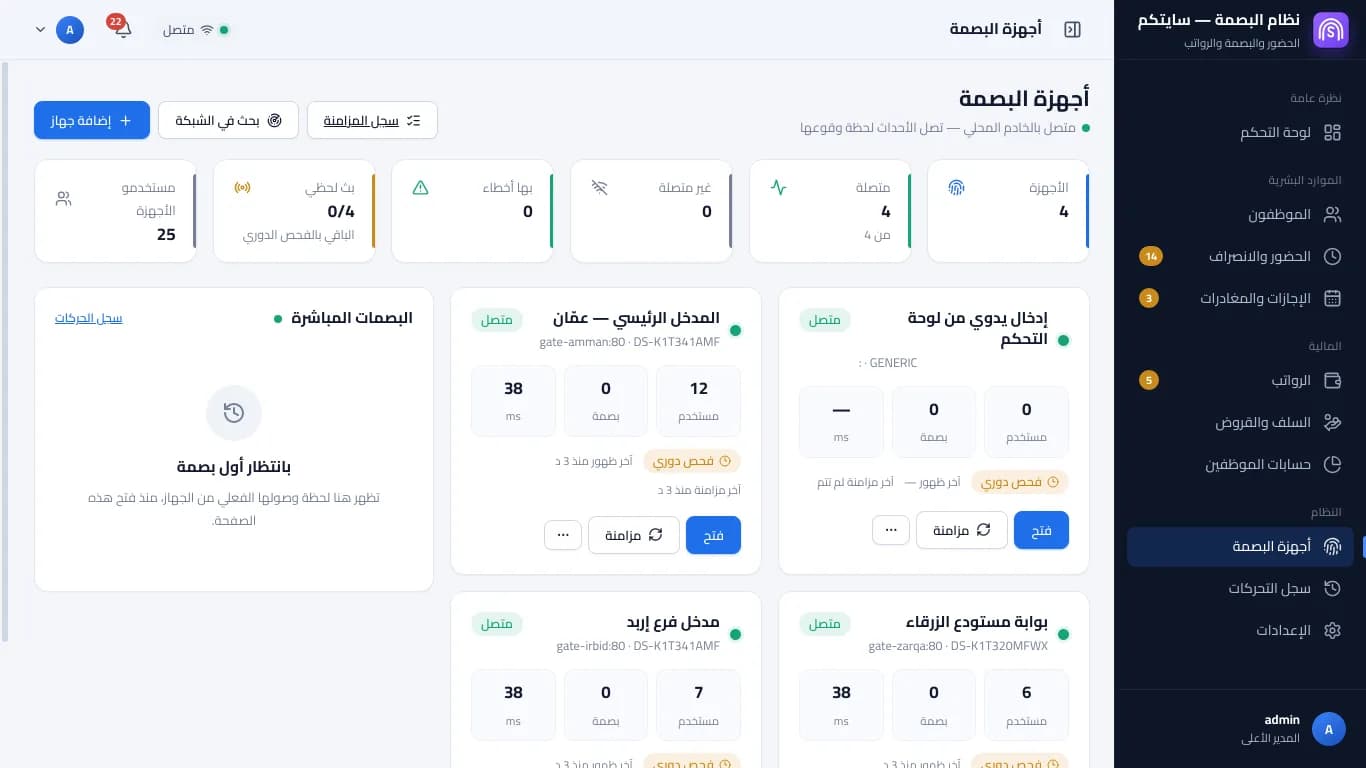
ATTENDANCE · PAYROLL
Screens shown in Arabic — the program's interface language
One touch… the rest counts itself
The employee touches the fingerprint device; the punch is stored on it and the program on your computer fetches it with its status: on time, late, early leave or overtime.
07:50
Place your finger…
Fingerprint device — an illustration
Today — live
- Waiting for the first punch…
Names and times for illustration
A working day, as the program counts it
Sara's day, as the system counts it
06:00In 08:12
10 min grace → 2 min late
Break
30 minutes
Shift ends
16:00
Out 17:30
OT 1:30 × 1.25
And pay from attendance
Payslip
Sara — October
Base salary450.000
Days present26 / 26
Overtime 9h × 1.25+24.334
Lateness 35 min−2.500
Net0.000
Employee signature ............
Figures for illustration
From the punch on the device to the salary
Today's attendance on one screen
Every employee's shift, in and out, lateness, early leave and overtime, and an unclear day “needs review” instead of a wrong deduction.
An illustration — names and numbers are examples
Runs on your computer, even with no internet
The program and your data live on your computer, and punches arrive from the devices over your company network. When the internet drops nothing stops; the internet is only for activation and updates.
Your computer Working
- Ahmad08:01
- Sara08:02
- Mohammad08:03
- Layla08:04
- Punches are fetched from the devices over the company network
- Attendance and lateness are calculated
- Payroll and reports work
- Automatic backups
Names and times for illustration
Everything in the program
Fingerprint devices over the network
Hikvision fingerprint devices that support network integration — check your model with our team. Punches are stored on the device and fetched when the computer is on.
More than one computer
One main computer keeps the data; other computers in the company pair with it by a code over an encrypted connection.
A free trial, then a licence
Start with a “before the trial” stage to enter your data, then “Start the trial”, then an activation code for your computer.
Shifts and the shift editor
Hours per day with grace and breaks, “Apply to all days”, and night shifts.
Single-stamp shifts
For staff who punch once at the end of the day: no false lateness.
Overtime
Overtime with its multipliers, all of it on days off — or a flat salary with no overtime on normal days.
Payroll and its bases
Choose the deduction-rate basis, proration for joiners and leavers, social security, allowances, advances and loans.
Leave and how it is counted
Leave types with yearly balances and hourly permits, in working days or calendar days.
Roles and permissions
The Super Admin, custom roles, and money permissions only the Super Admin can give.
Delete only what you choose
Choose what goes, see the counts before deleting, and a backup is taken first.
“Start work”
Try the devices freely, then choose the day attendance starts counting.
Import from Excel
Bring your employees in from an Excel file, with a preview before saving.
Reports
Attendance totals, payroll summaries, a financial summary and printable payroll statements.
Works offline
The program and your data are on your computer; the internet is only for activation and updates.
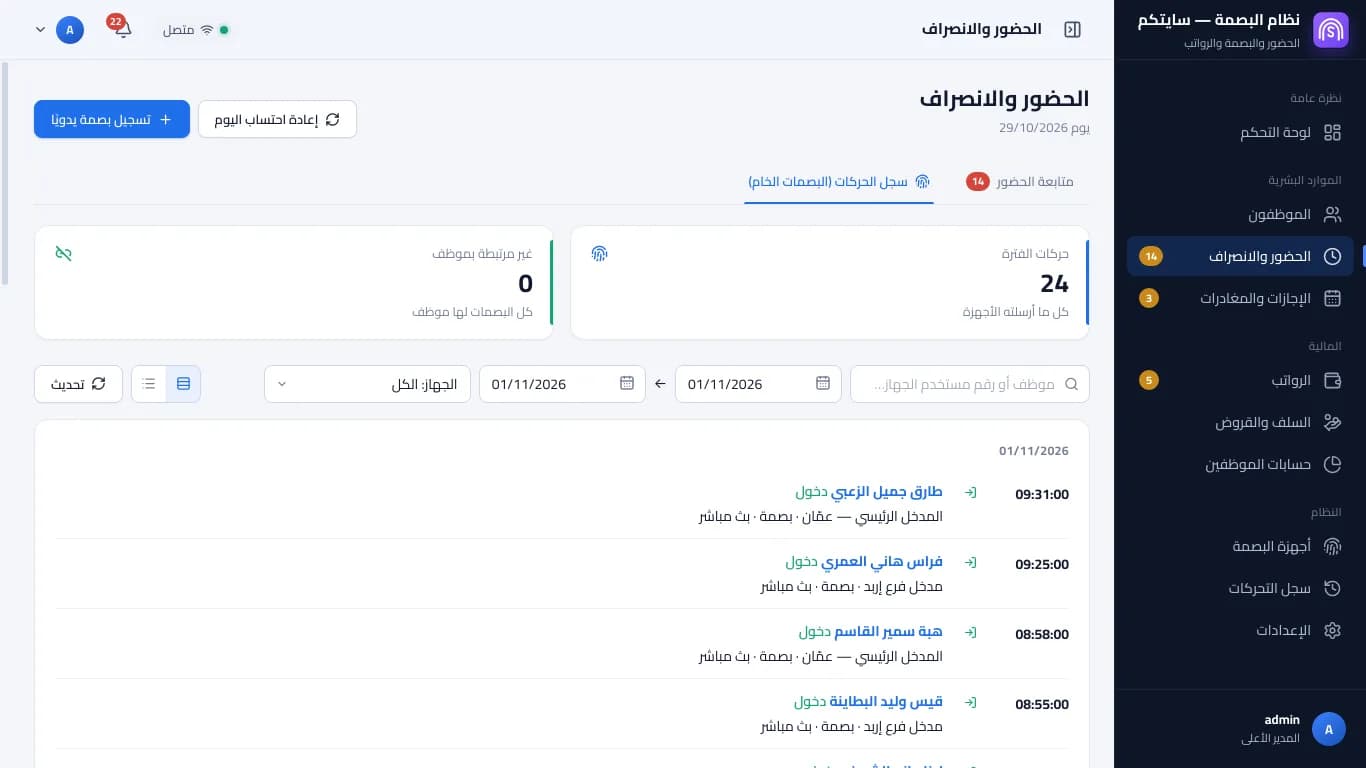
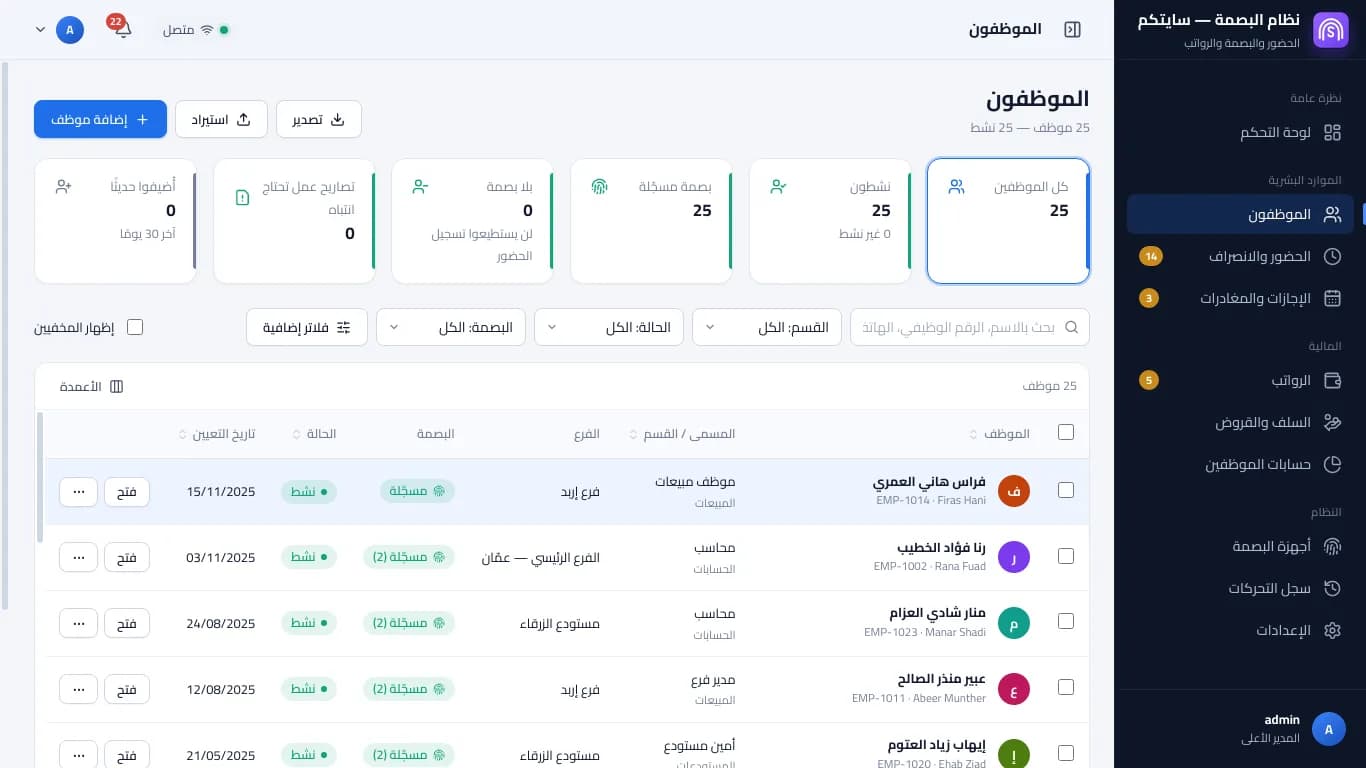
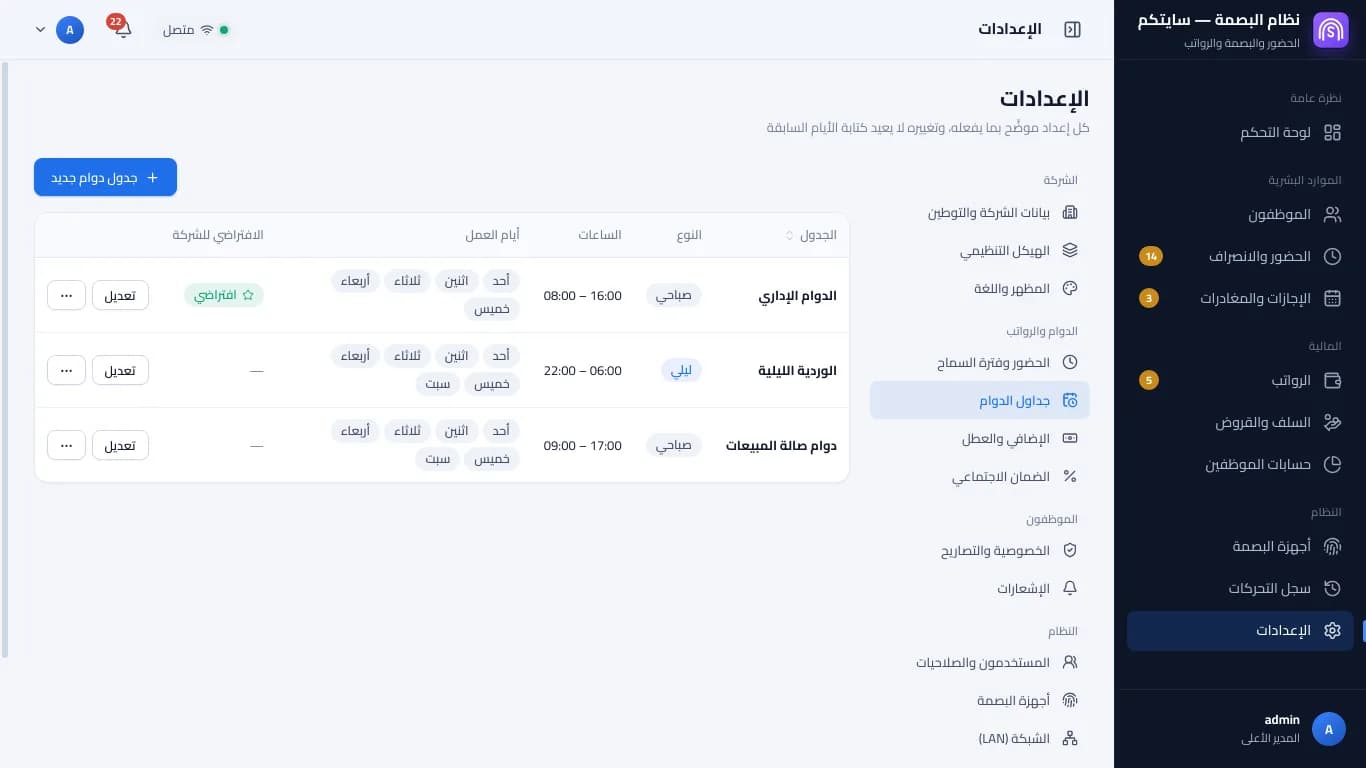
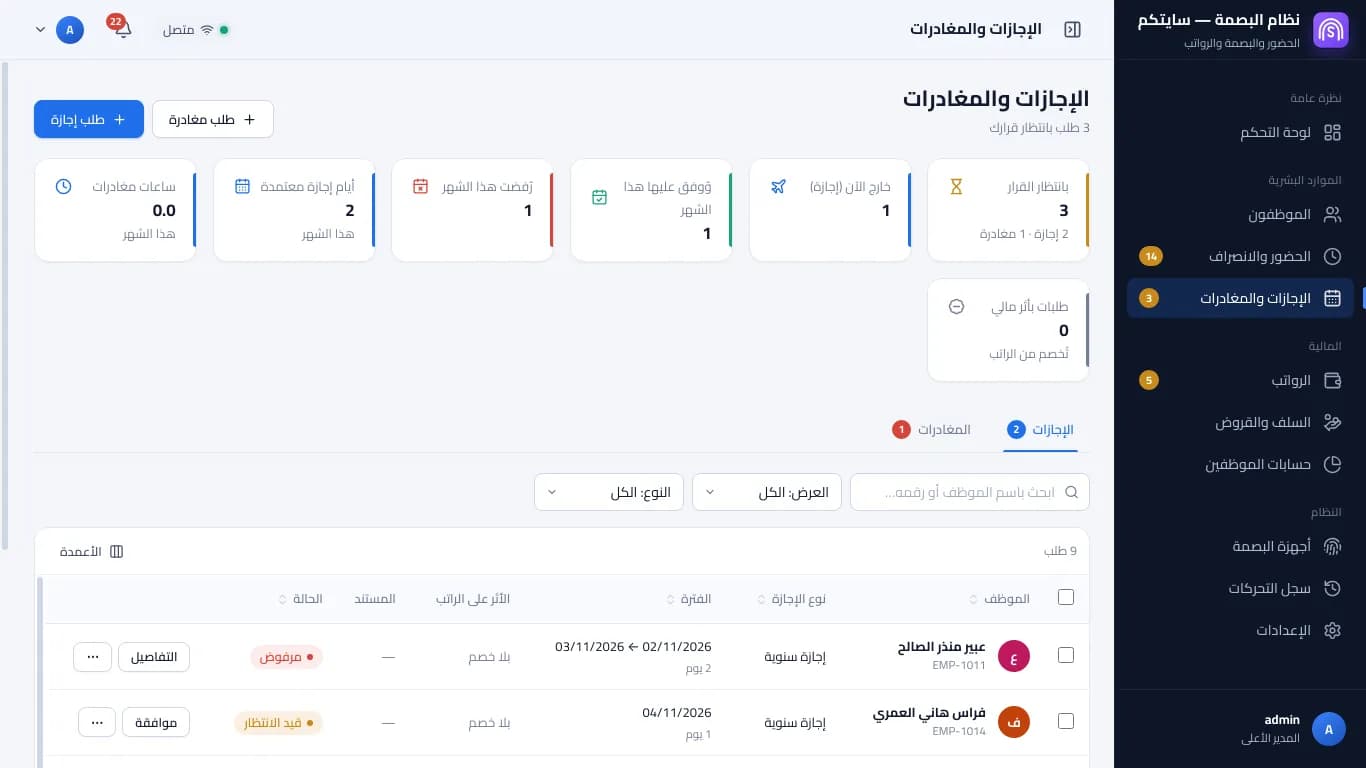
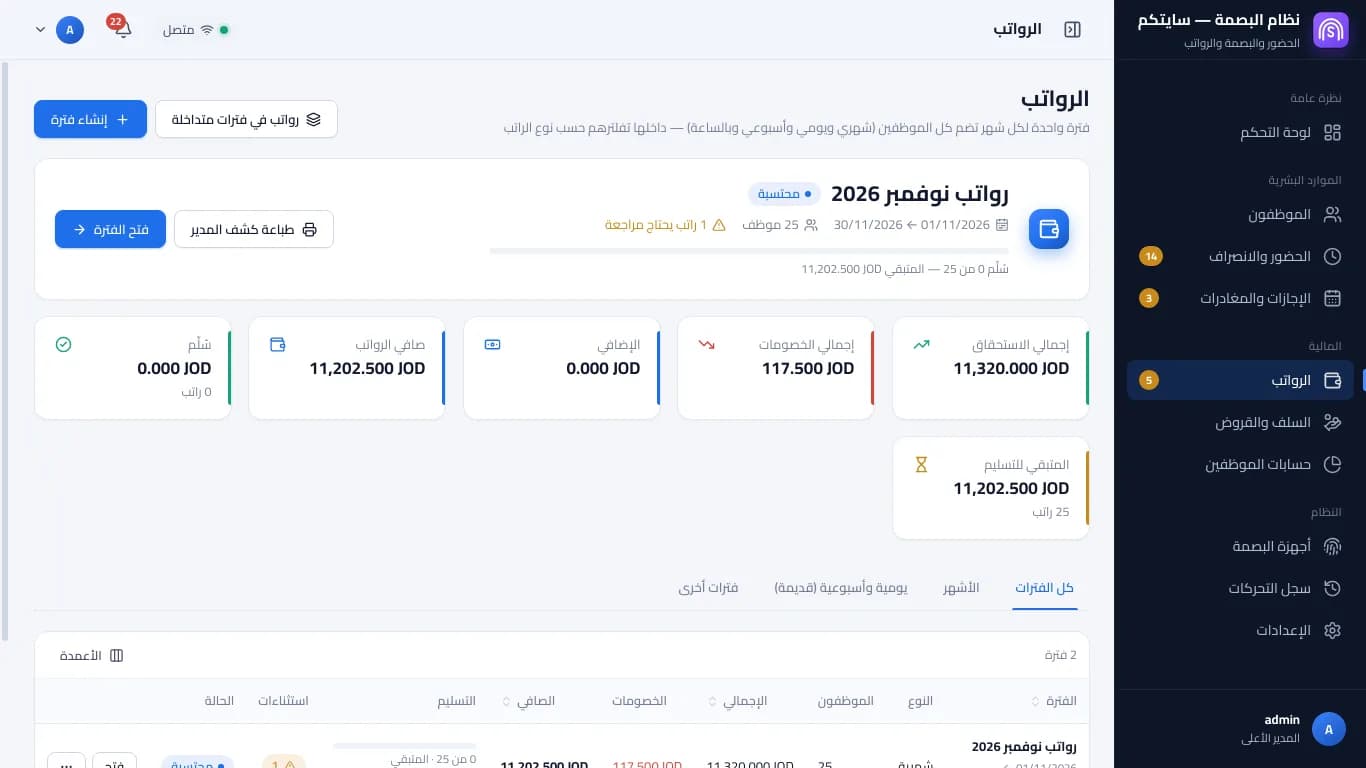
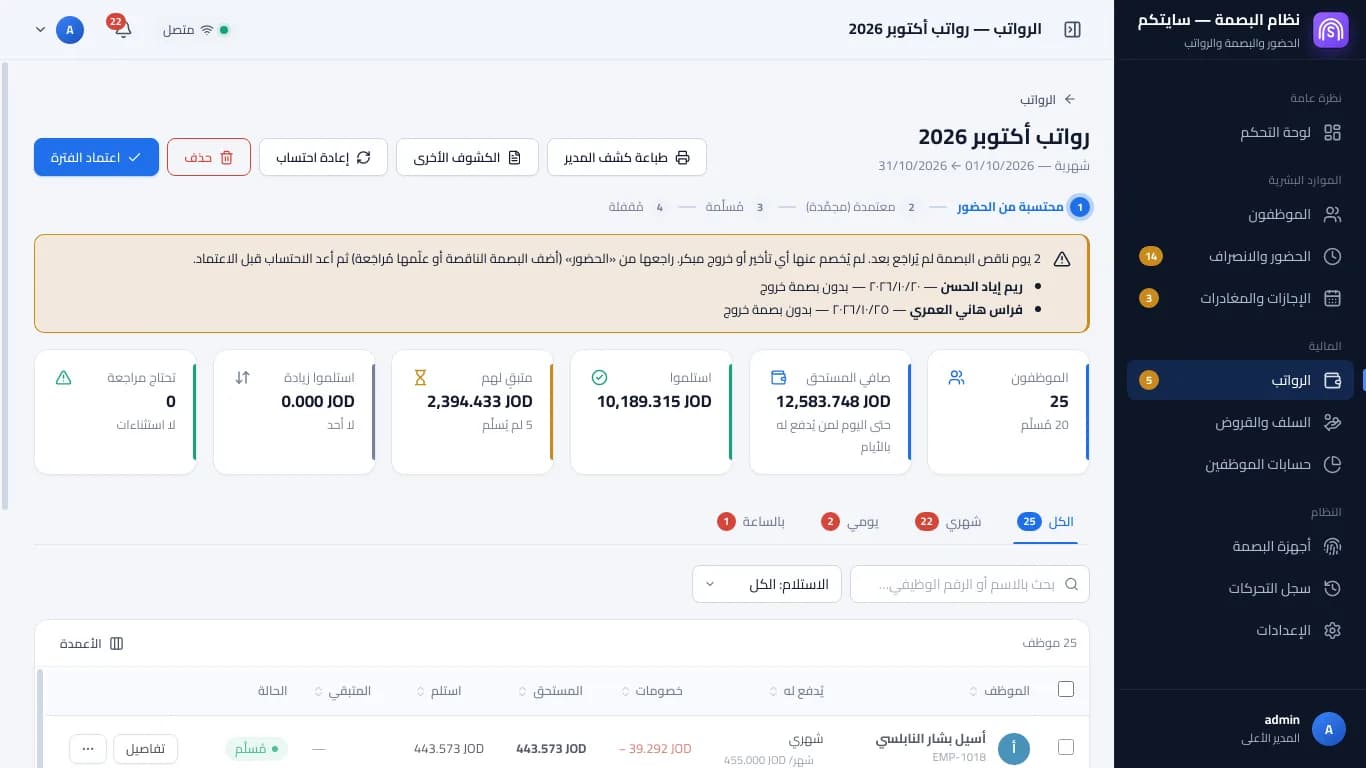
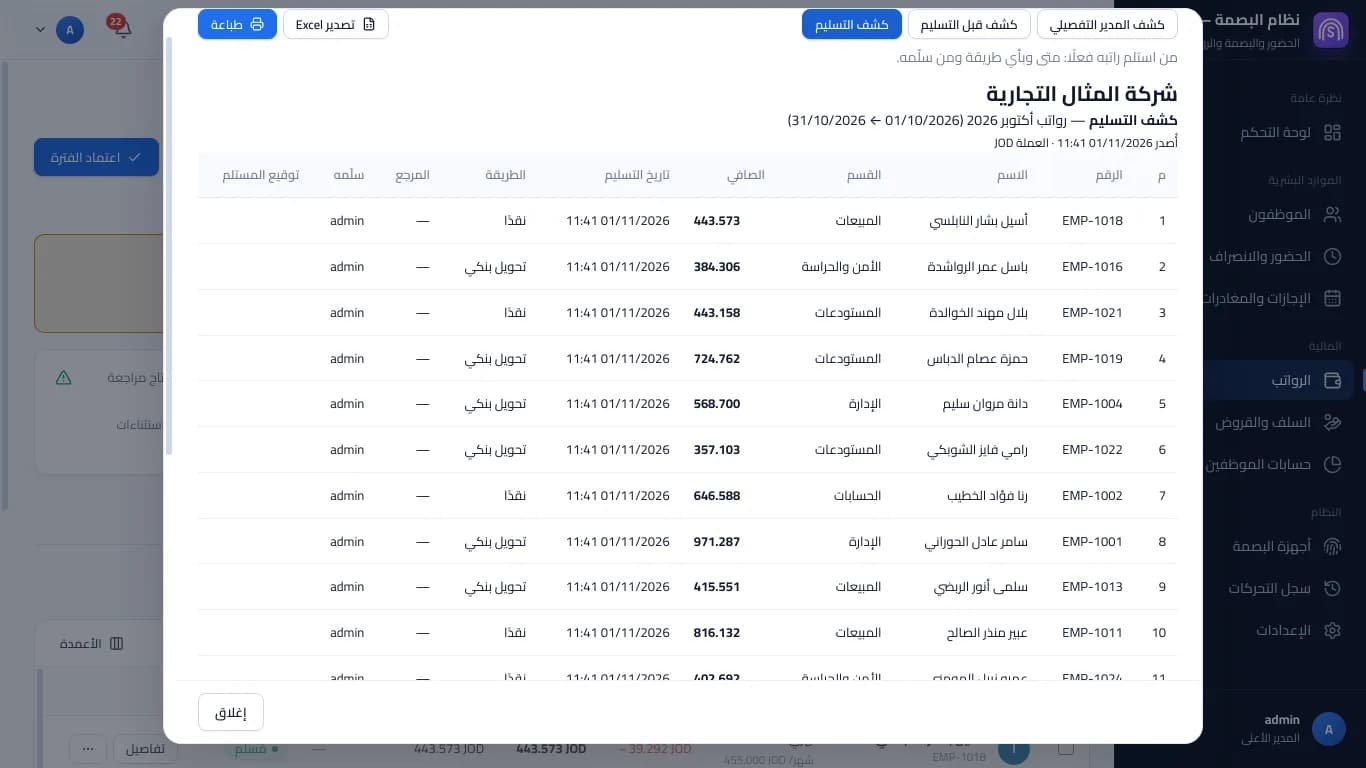
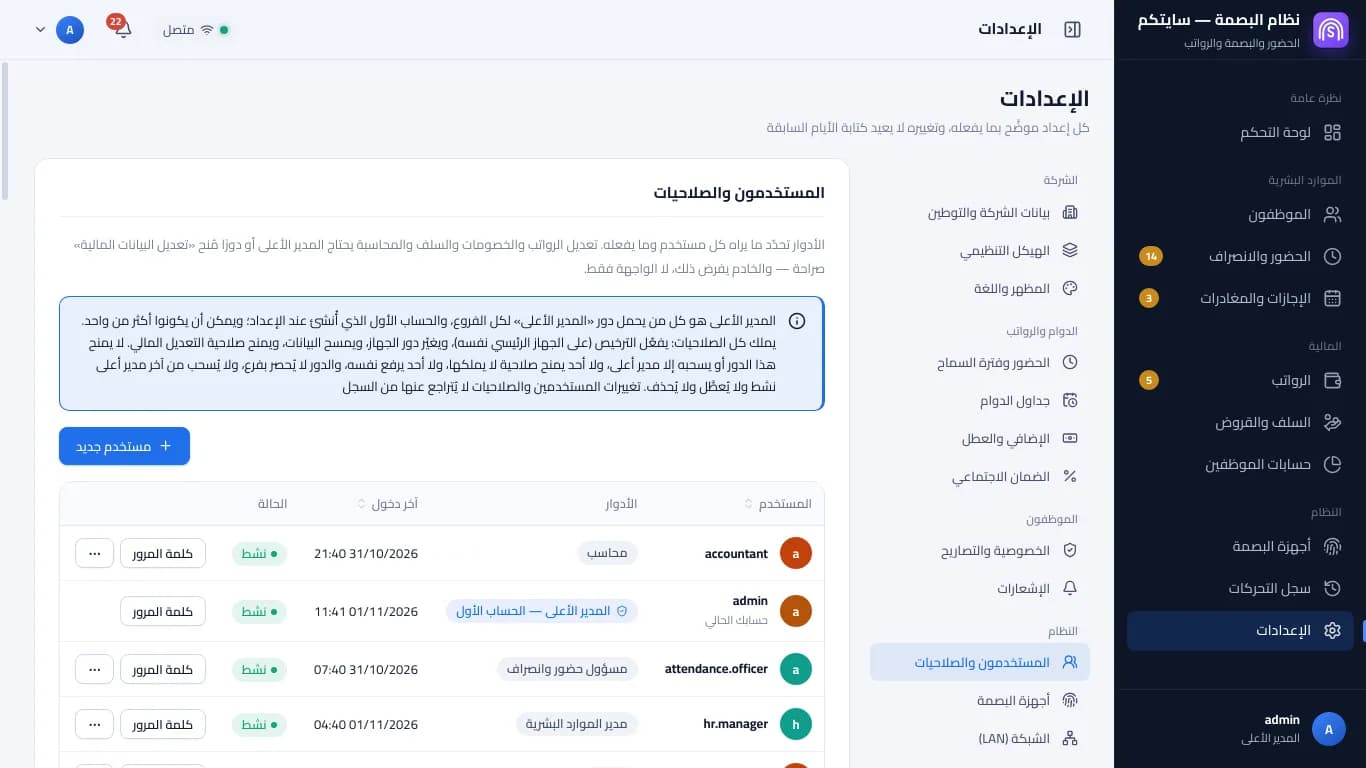
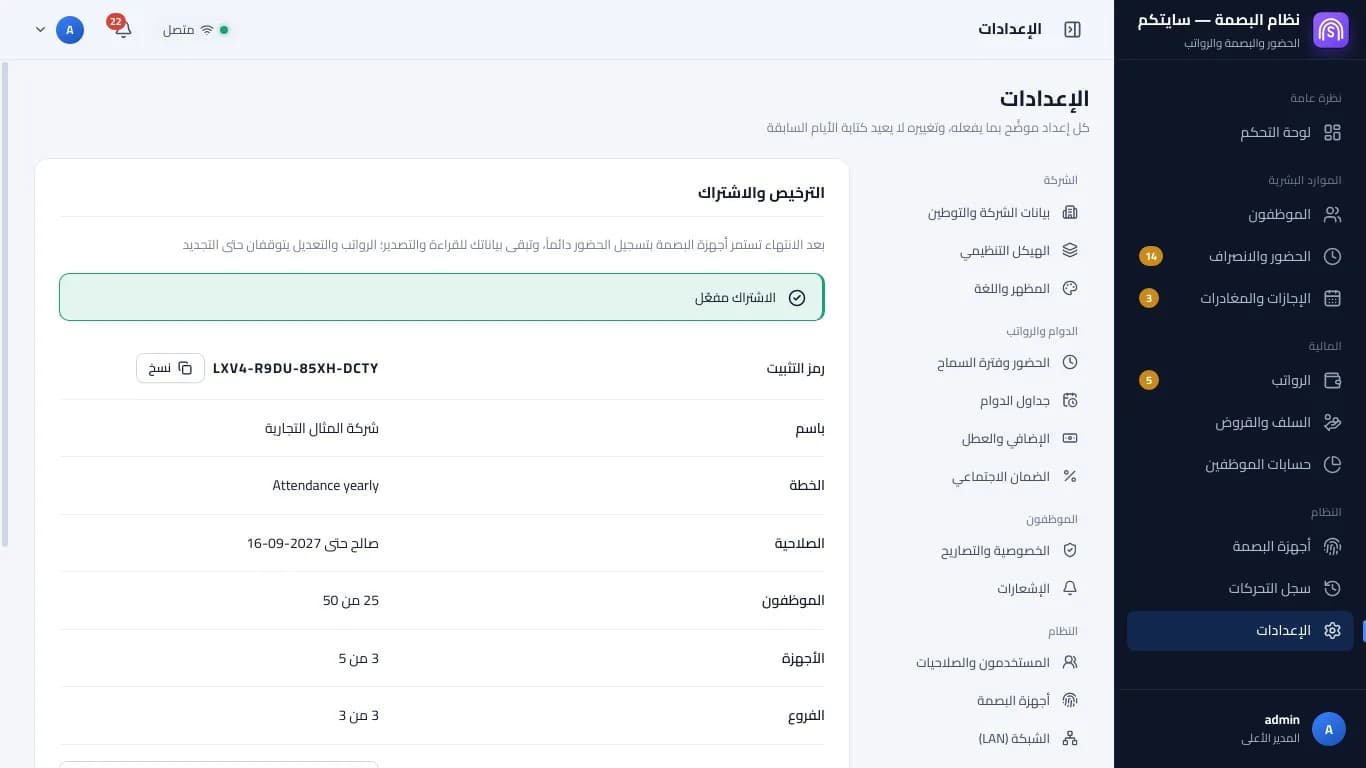
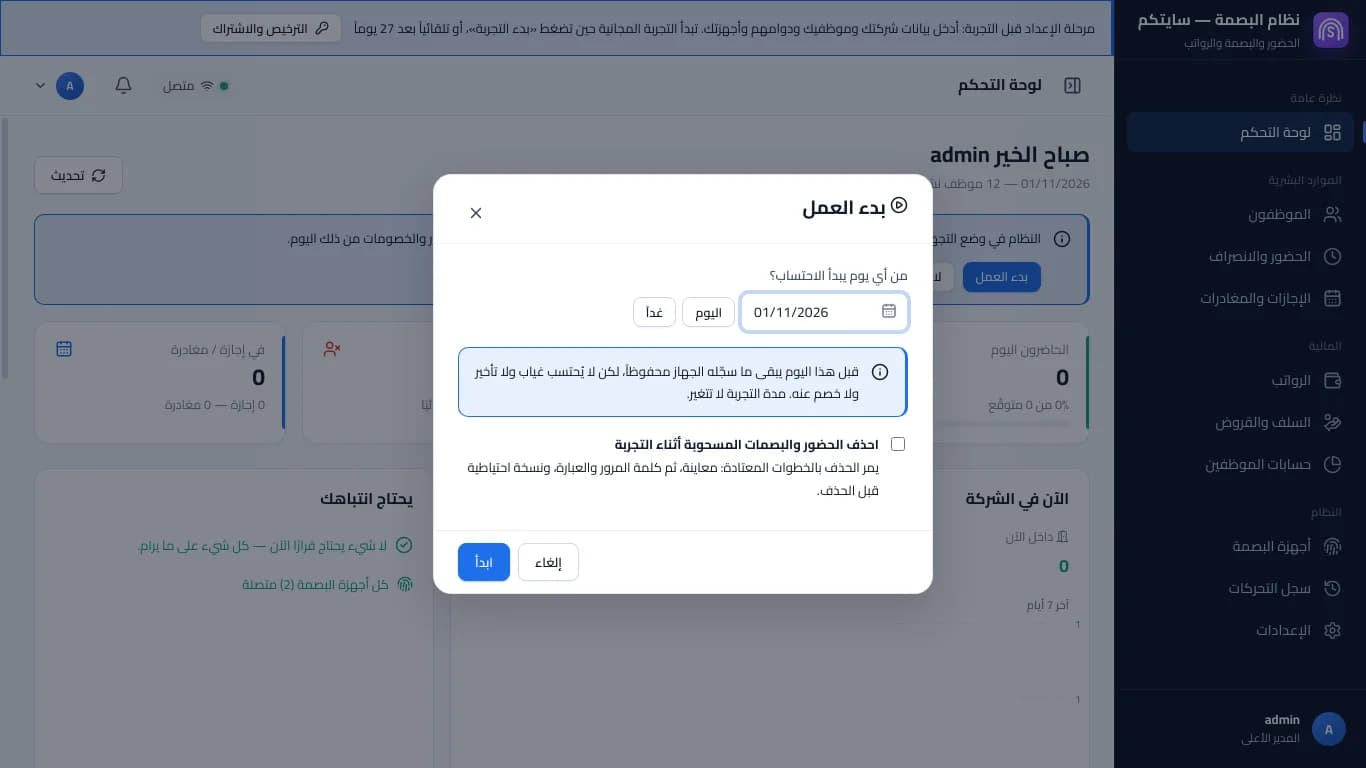
Screens shown in Arabic — the program's interface language
After the subscription ends
Punches stay stored on the devices and the program fetches them; your data stays on your computer.
- Fingerprint devices keep recording attendance
- Your data stays readable and exportable
- Backups keep working as usual
- Payroll and editing pause until you renew
Try free for 14 days
No account and no card. One trial per computer.
Step 1
Download and install
One installer for Windows 10 and 11, no account and no card.
Step 2
“Before the trial”: enter your data
Company, branches, employees, their shifts, devices and users. Punches arrive so you can check the devices; nothing is counted yet.
Step 3
Press “Start the trial”
Your free trial (14 days) starts: attendance counts from that day and payroll opens. If you don't press it, the trial starts by itself when the setup stage ends.
Step 4
Subscribe and activate
Copy the installation code from “Licence and subscription”, subscribe, then paste the activation code. Your data stays as it is.
Download coming soon. Request a quote or contact us and we'll send you the program.
Installation steps and where the installation code is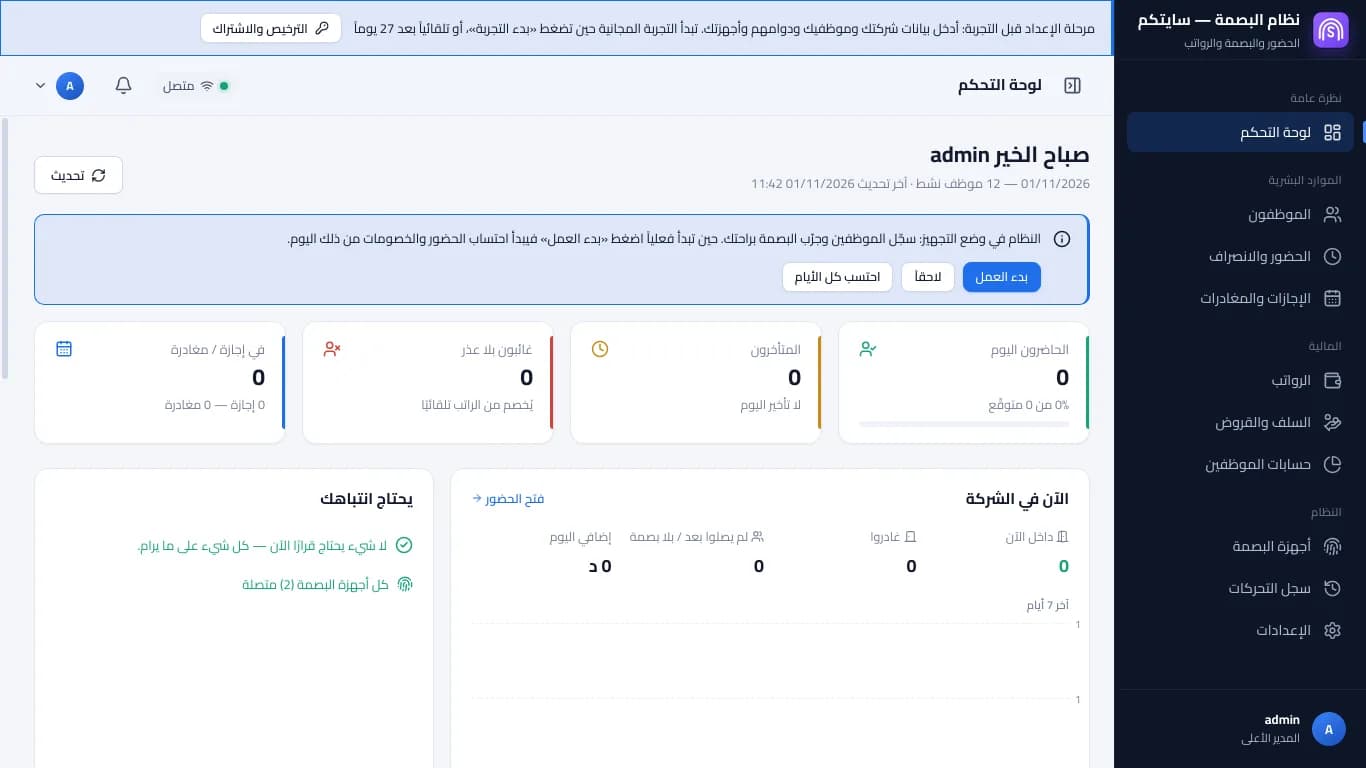
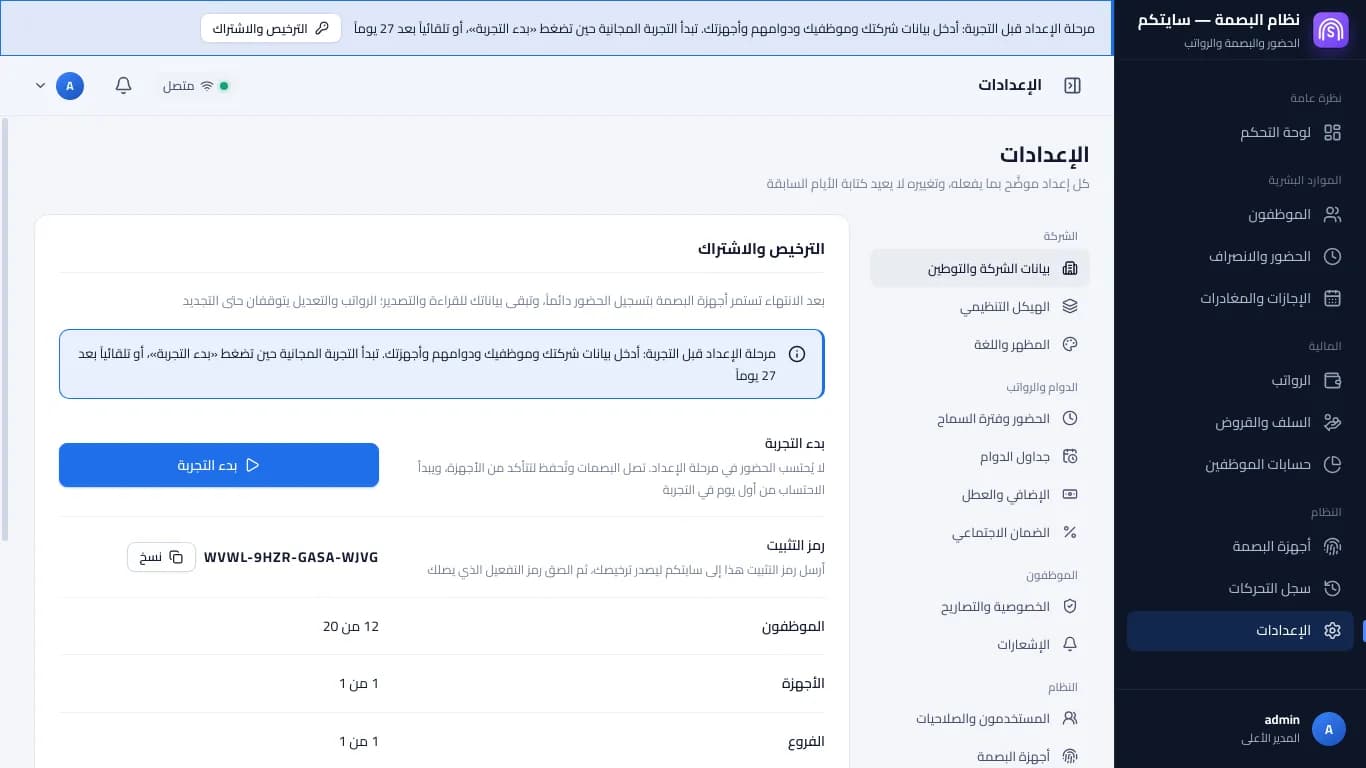
Screens shown in Arabic — the program's interface language
Plans
Sitekoom Attendance — monthly
د.أ 12.000 / monthFirst payment د.أ 60.000
Includes 20 employees, 1 device and 1 branch
SubscribeSitekoom Attendance — yearly
د.أ 80.000 / yearFirst payment د.أ 100.000
Includes 20 employees, 1 device and 1 branch
SubscribeNeed more employees, devices or branches? Choose them when you subscribe, or add them later from your portal.
Questions
Download and install the program. It starts with a “before the trial” stage where you enter your company, employees, their shifts and your devices; then press “Start the trial” and the trial days begin — or they begin by themselves when the setup stage ends. One trial per computer, no account.
Yes. The program and your data are on your computer, and punches are fetched from the devices over the company network. The internet is only for activation and updates.
Hikvision fingerprint devices that support network integration — check your model with our team. Our team helps you connect them.
Yes. One main computer keeps the data, and other computers pair with it by a code from “Add a computer”. Each extra computer counts as a device in your subscription.
Fingerprint devices keep recording attendance and your data stays readable and exportable; payroll and editing pause until you renew.
A computer with Windows 10 or 11; it runs on most modern computers.
