
A fast Arabic point of sale for supermarkets and restaurants
Sell by barcode or picture cards, stock by units, cartons and weight, shifts and permissions, correct Arabic receipts and national e-invoicing — all running on your own PC.
- Windows 7 SP1 / 8 / 8.1 / 10 / 11
- Offline-first
- 58 / 80 mm printers
- JoFotara
Highlights
Never stops when the internet drops
Sales, stock and printing run on the store PC; the open cart is auto-saved and restored after a power cut.
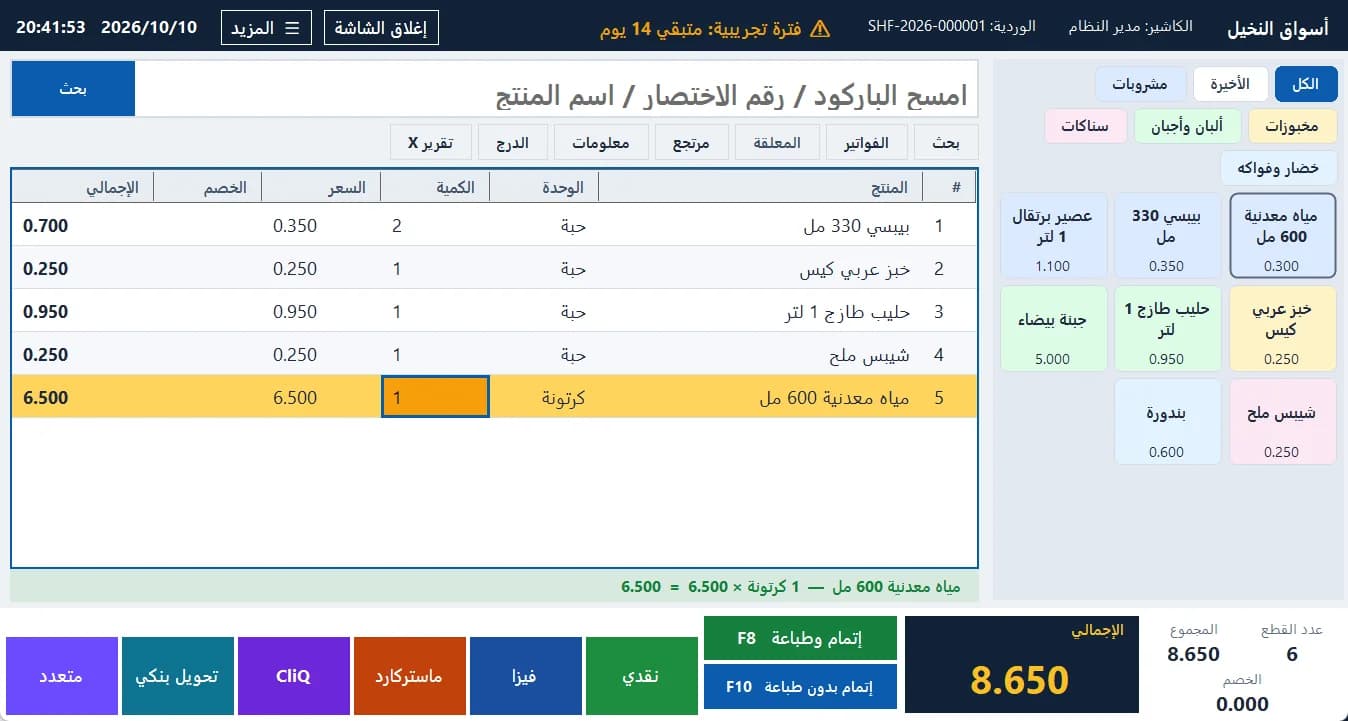
Fast barcode selling
One input for barcode, quick code and name, with USB scanners even on an Arabic keyboard layout.
Units, cartons and weight
Piece, pack and carton from one stock, and weighed products with scale barcodes.
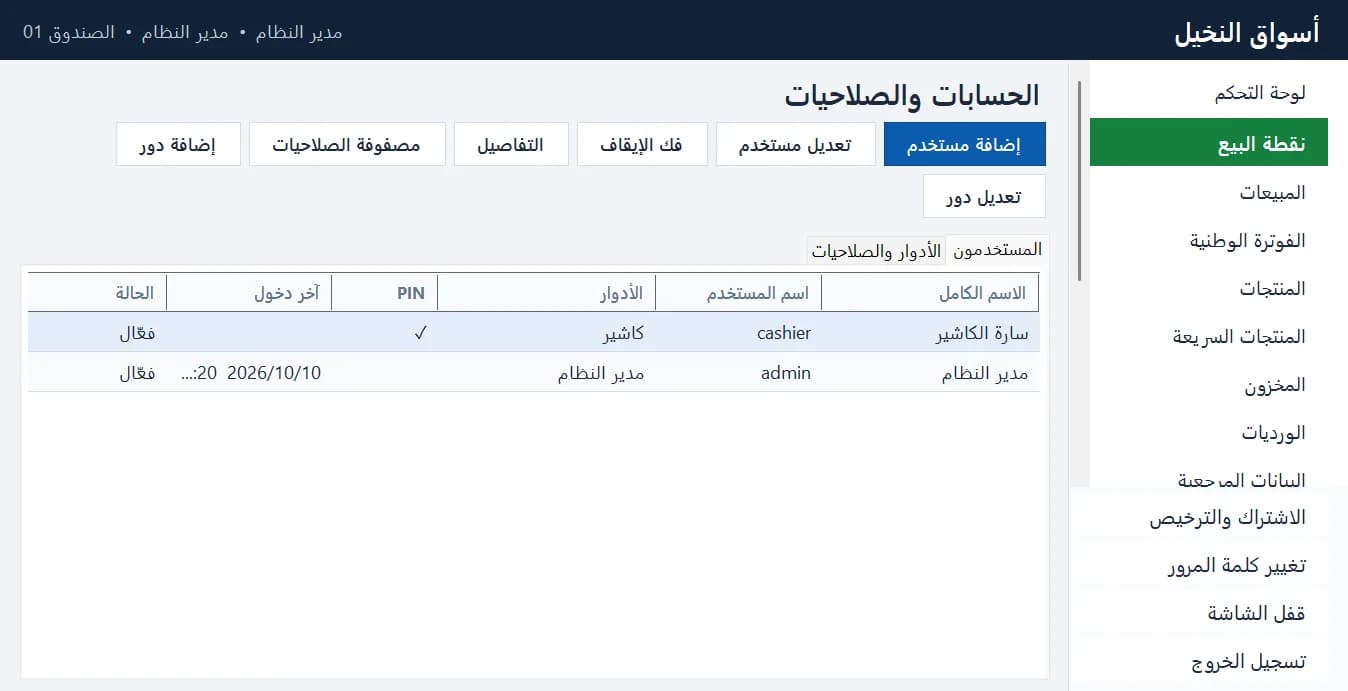
Shifts, permissions, approvals
Cash reconciliation at shift close, X/Z reports and an audit log of every sensitive action.
Correct Arabic receipts
Receipt design with a live preview, any 58 or 80 mm thermal printer, and the cash drawer.
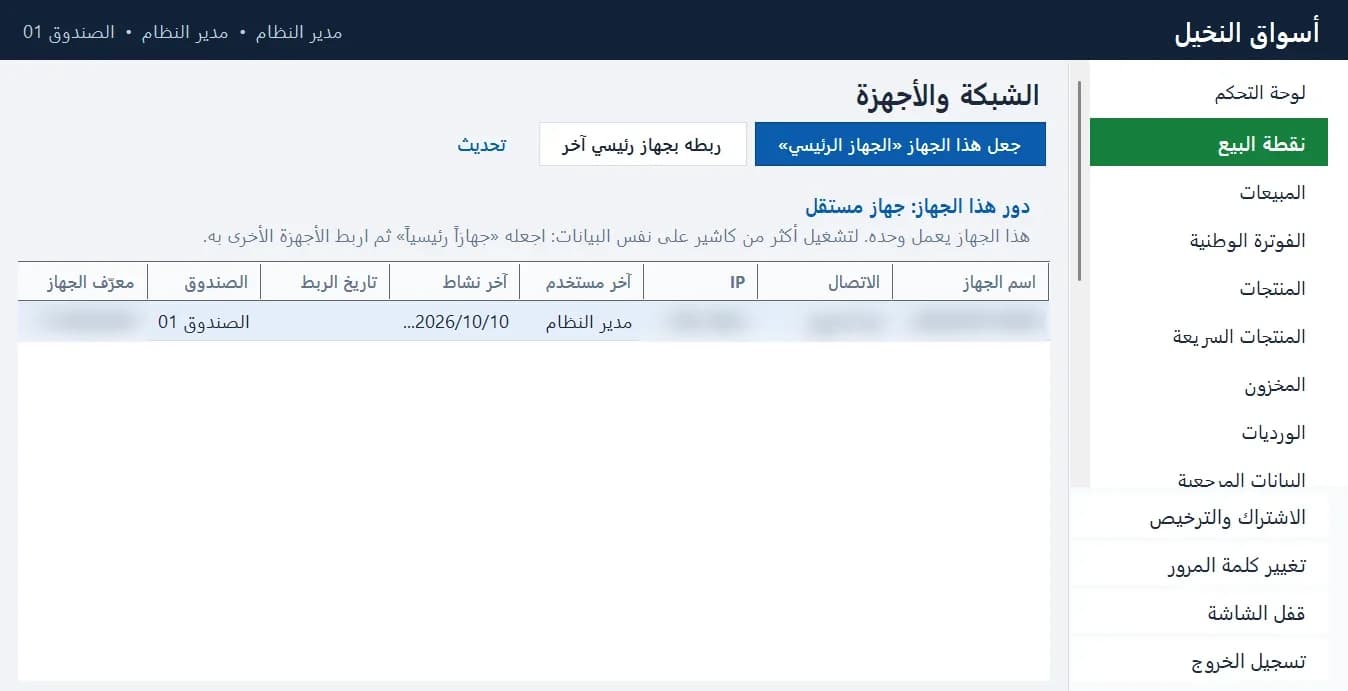
Several registers on one network
One main device and any number of registers sharing one database over an encrypted link.
For supermarkets & retail
Scan, or type quantity × code, and complete with one key. Prices are always recomputed by the sales service, never trusted from the screen.
- Scale barcodes by price or weight — never guessed
- Line or invoice discounts within each role's limits
- Hold / resume invoices and split payments
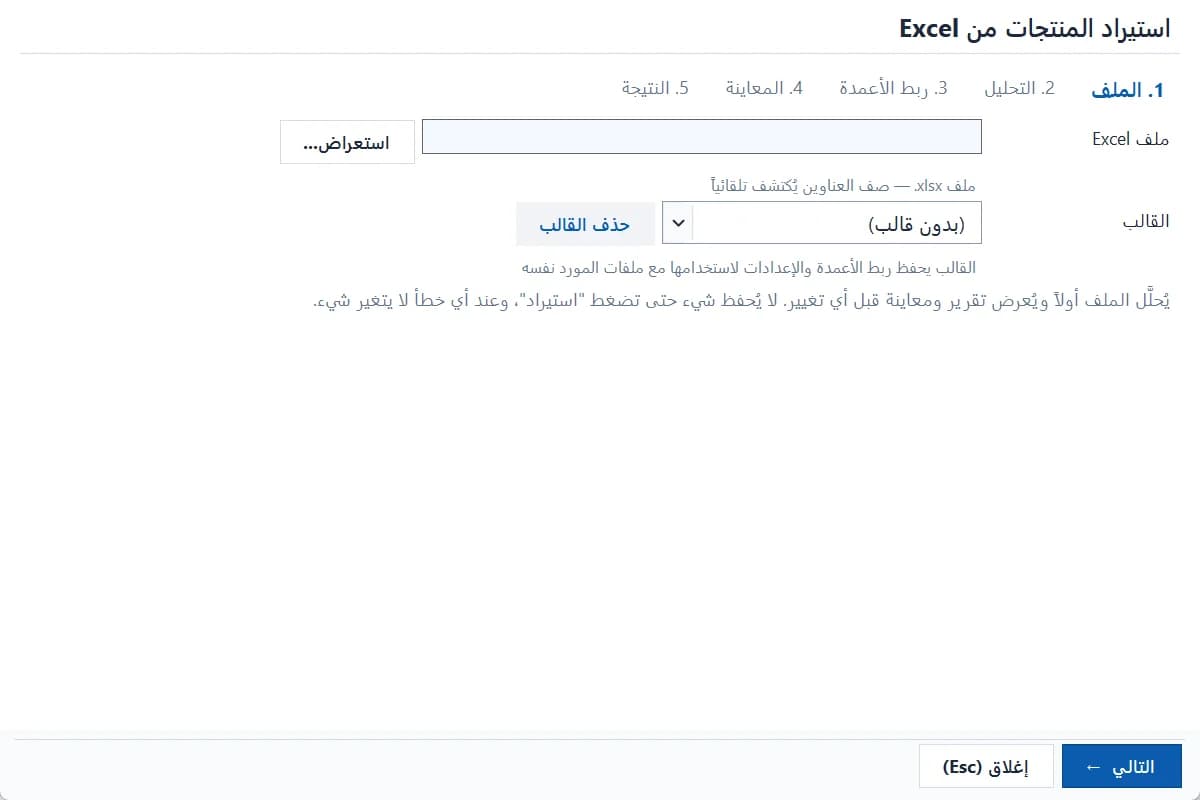
- Excel product import with a preview before saving
- Counts, adjustments, damage and expiry with a full ledger
- Returns by scanning the printed receipt barcode
For restaurants & cafés
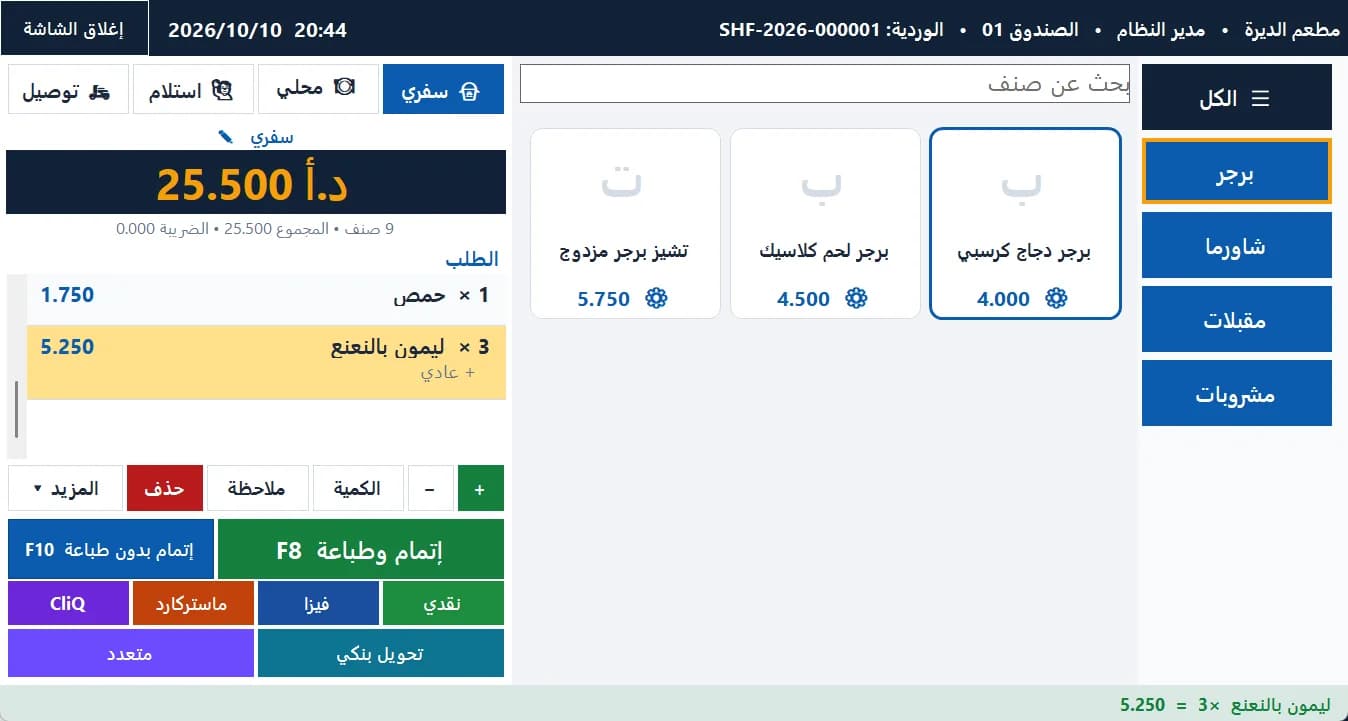
Categories → item cards → options → order → payment. Takeaway, dine-in, pickup and delivery with a daily order number, and kitchen printing by category.
- Required or optional option groups with price differences
- Per-item notes, remembered for quick reuse
- Delivery customers by phone and delivery fees by area
- Several kitchen printers and extra receipt copies
- Mark an item temporarily sold out
- QR table ordering (optional add-on)
See the app from the inside
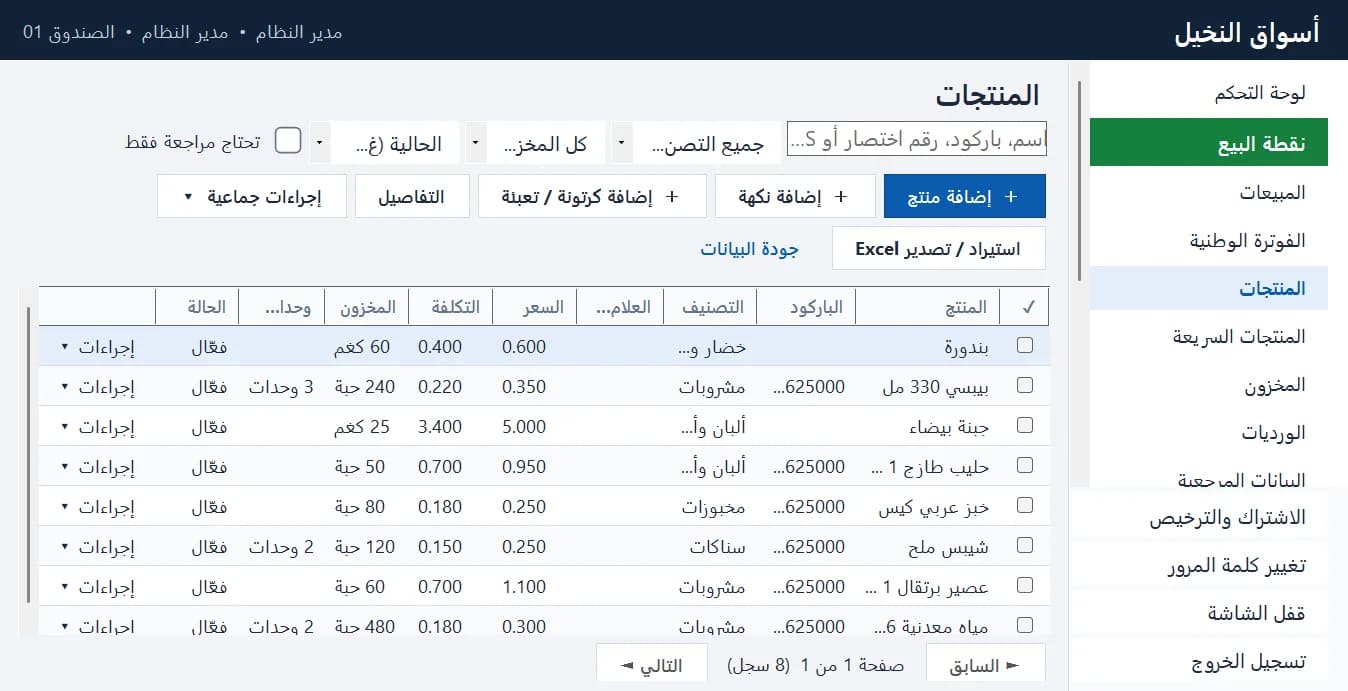
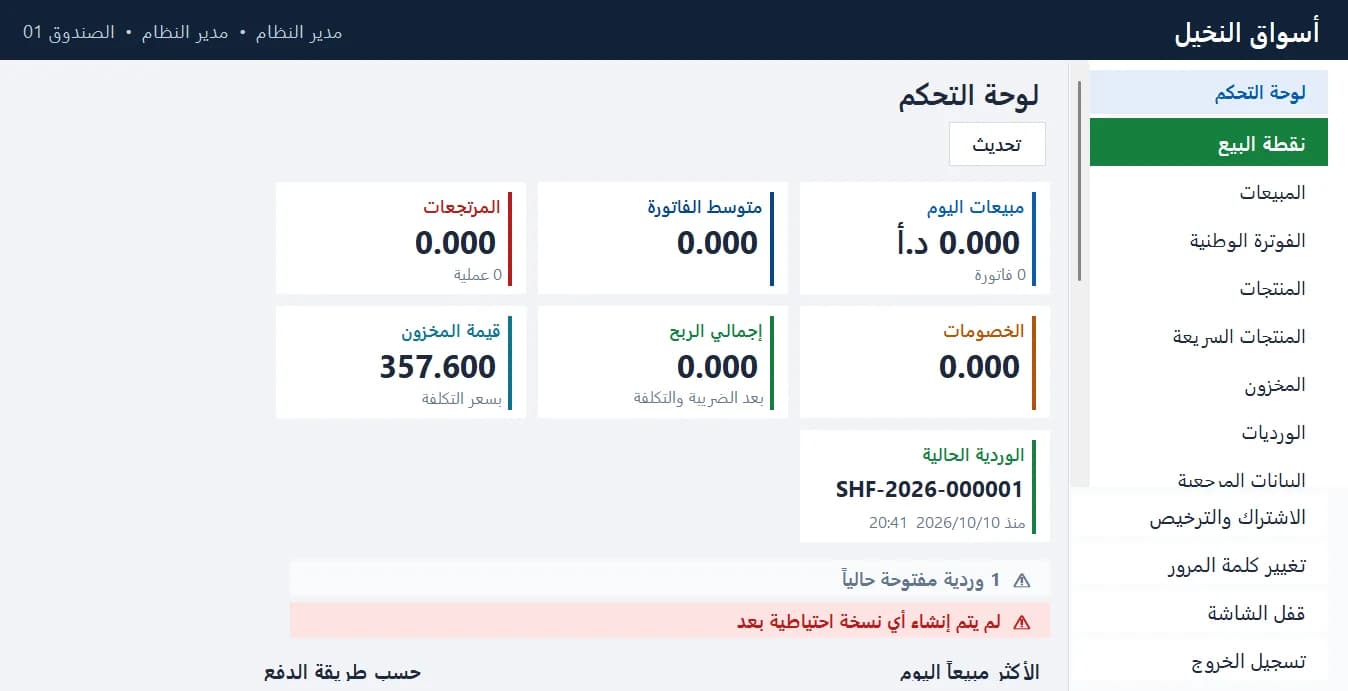
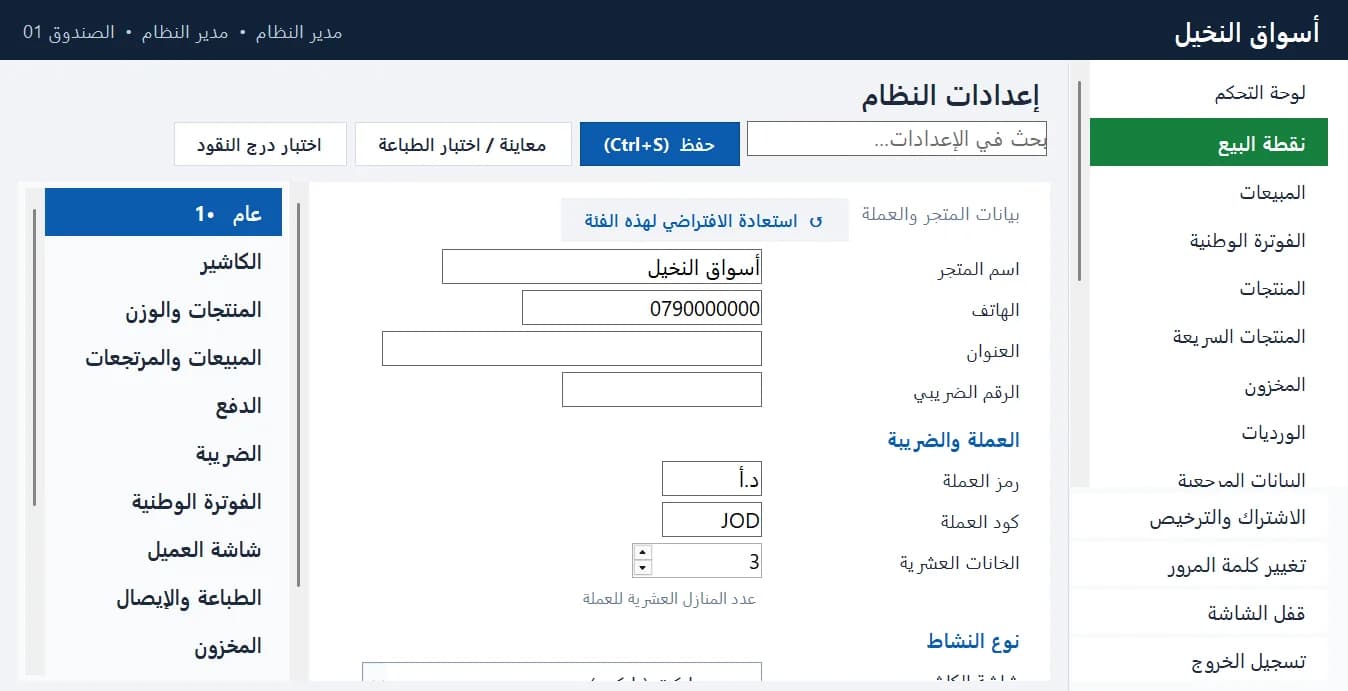
Real screens from the app with demo data — no mock-ups.
From subscribing to your first receipt
- 1
Download and install on the main PC
One installer for every PC. Data stays on the computer and is kept across updates.
Step-by-step guide - 2
Finish the first-run wizard
Store name, currency and tax, the administrator account and the first cashier.
Step-by-step guide - 3
Add products or import them from Excel
Units, cartons, weighed items and scale barcodes.
Step-by-step guide - 4
Activate with your installation code
Copy the installation code from “Subscription & license” into your portal, then paste the activation code into the POS.
Step-by-step guide
Choose the right plan for your business
Prices include updates and support. Renewing early never loses paid days.
Final prices are being prepared
Start the free trial now, or contact us for a quote that fits your number of registers.
Pay by card, CliQ or bank transfer, as available. The activation code is issued only after payment is confirmed.
Requirements
- Windows 7 SP1 / 8 / 8.1 / 10 / 11 (32- or 64-bit) — one installer picks the right build; no .NET install needed
- Screens from 1024×768 to 4K, touch supported
- Any 58 or 80 mm thermal receipt printer installed in Windows
- Cash drawer on the printer (ESC/POS) and a USB barcode scanner
- No internet needed to sell; only for table ordering and national e-invoicing
Learning center
Complete lessons with real screenshots: installing, products, Excel, barcodes and scales, selling, permissions, printers, restaurants, table ordering, activation and backups.
Frequently asked questions
Yes. Selling, stock, printing and activation work locally. The internet is only needed for table ordering and national e-invoicing.
The software runs for 14 full days from its first start on a computer. You can also register the trial on our site with your installation code to get a trial code and follow-up from our team. One trial per computer and per account; reinstalling doesn't restart it.
You get reminders, then grace days. After that only selling and returns stop; your data and reports stay and nothing is deleted. Renew and a new code restores everything immediately.
No. A renewal is added after your current end date, and a paid subscription starts after the last trial day.
In “Subscription & license” click “Subscribe on the Sitekoom website” — the site opens with your installation code — or copy the code into your portal. After paying, paste the activation code back into the POS.
Yes: a main device holds the data and registers pair with it over the store network. The number of devices depends on your plan.
QR table ordering is an optional add-on for the restaurant edition with its own price, chosen when subscribing or renewing.
Ready to run your point of sale?
Start the trial or subscribe now, and activate with your installation code in minutes.
Support & sales
- 0790777940
- Sat – Thu, 9 am – 6 pm