Subscribe to the POS
Choose a plan, pay securely and paste the activation code into the POS. No code is issued before payment is confirmed.
Create your account to start the trial
We need an account to issue your trial code and follow up. You stay on this page after signing up.
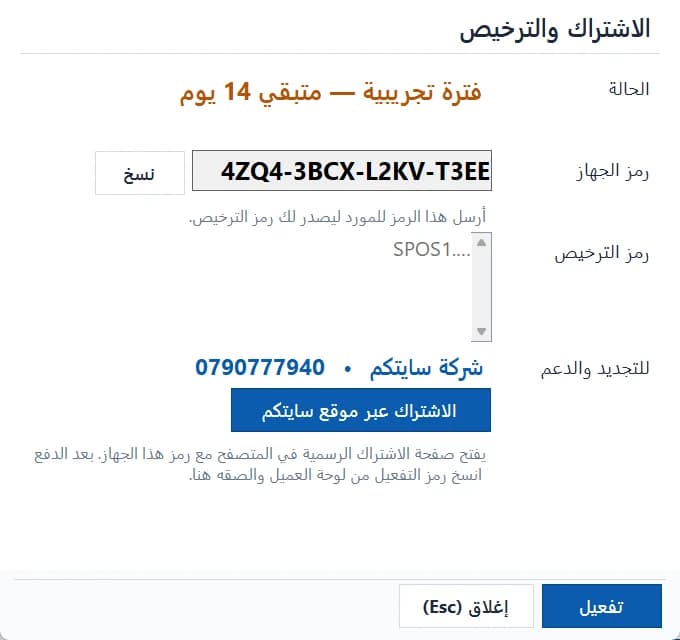
Where is my installation code?
- Open the POS and sign in as the system administrator.
- From the side menu choose “Subscription & license”.
- Click “Subscribe on the Sitekoom website” to open this page with the code, or copy the “installation code” manually.
- After paying, paste the activation code into the same screen and click “Activate”.
Activation works offline and is bound to this computer only.