
The QR order lifecycle and what guests see
Each status, who changes it and what the guest sees — no surprises.
- Reading time
- 2 min read
- Steps
- 6 steps
- Level
- Intermediate
- Updated
- Updated October 10, 2026
The golden rule: accepting an order = one paid sale in the POS. The platform only stores and forwards; it never accepts or rejects by itself.
1Submitted
The platform validated, priced and stored it. Guest: “Sent — waiting to reach the restaurant”.
2Delivered
The POS stored it locally. Guest: “At the cashier — waiting for confirmation”.
3Accepted
“Accept” in the POS creates one paid sale at the current POS prices, and the expected time = the longest item in the order.
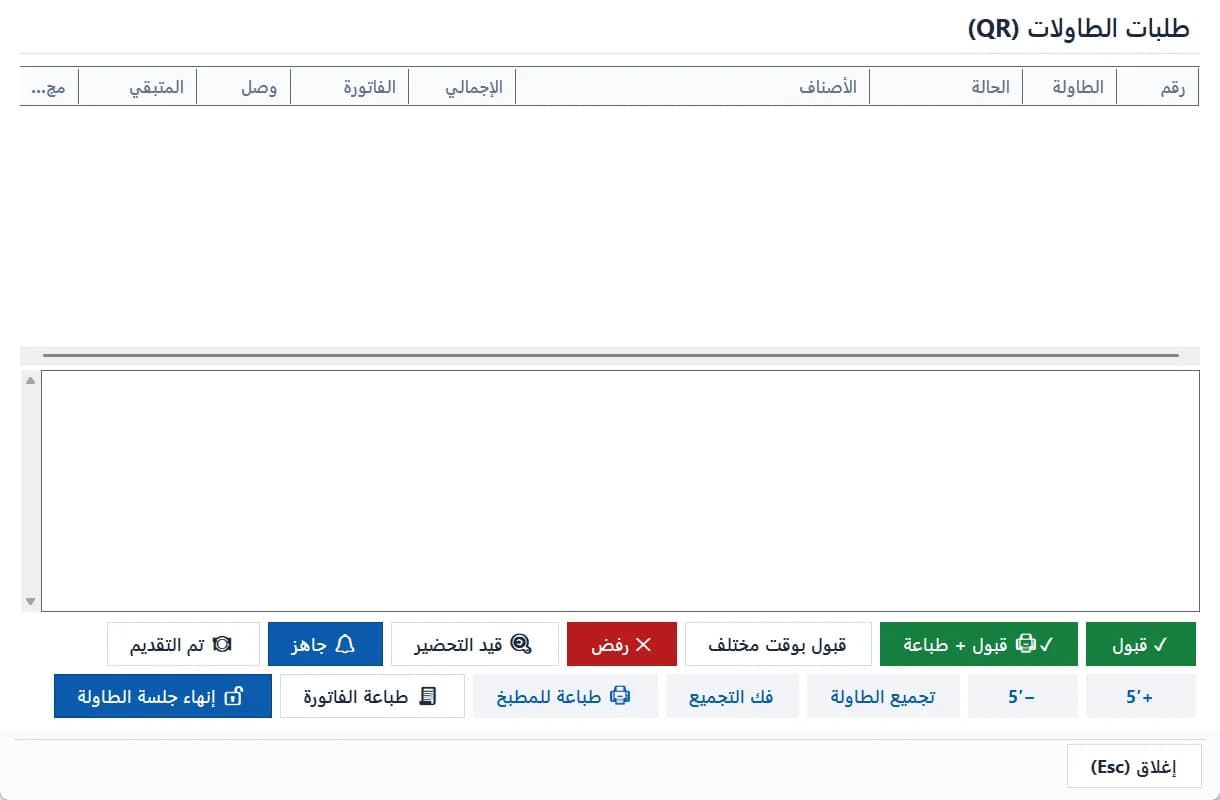
The cashier's QR table-orders window: accept, reject, prepare, end the session · Arabic interface 4Preparing → ready → served
Staff update them from the table-orders window and the guest sees each step. “+5′ / −5′” adjust the time and the guest sees “time updated”.
5Rejected
Only before acceptance, with a reason shown to the guest. A rejected order never counts in the bill.
6Cancelling after acceptance = a return
An accepted order is a sale; undoing it is a return in the POS, not from the QR window.
The guest is never told “accepted” before the POS actually saved the sale.