
Adding products and categories
Products, pictures, prices and stock, plus the categories your store type prepares.
- Reading time
- 2 min read
- Steps
- 4 steps
- Level
- Beginner
- Updated
- Updated October 11, 2026
The store type prepares suitable categories and attributes (like storage and colour for phones). Adjust them, then add your products.
1Categories
In “Categories” order them and add pictures. What shows in the store's menu is managed in “Menus”.
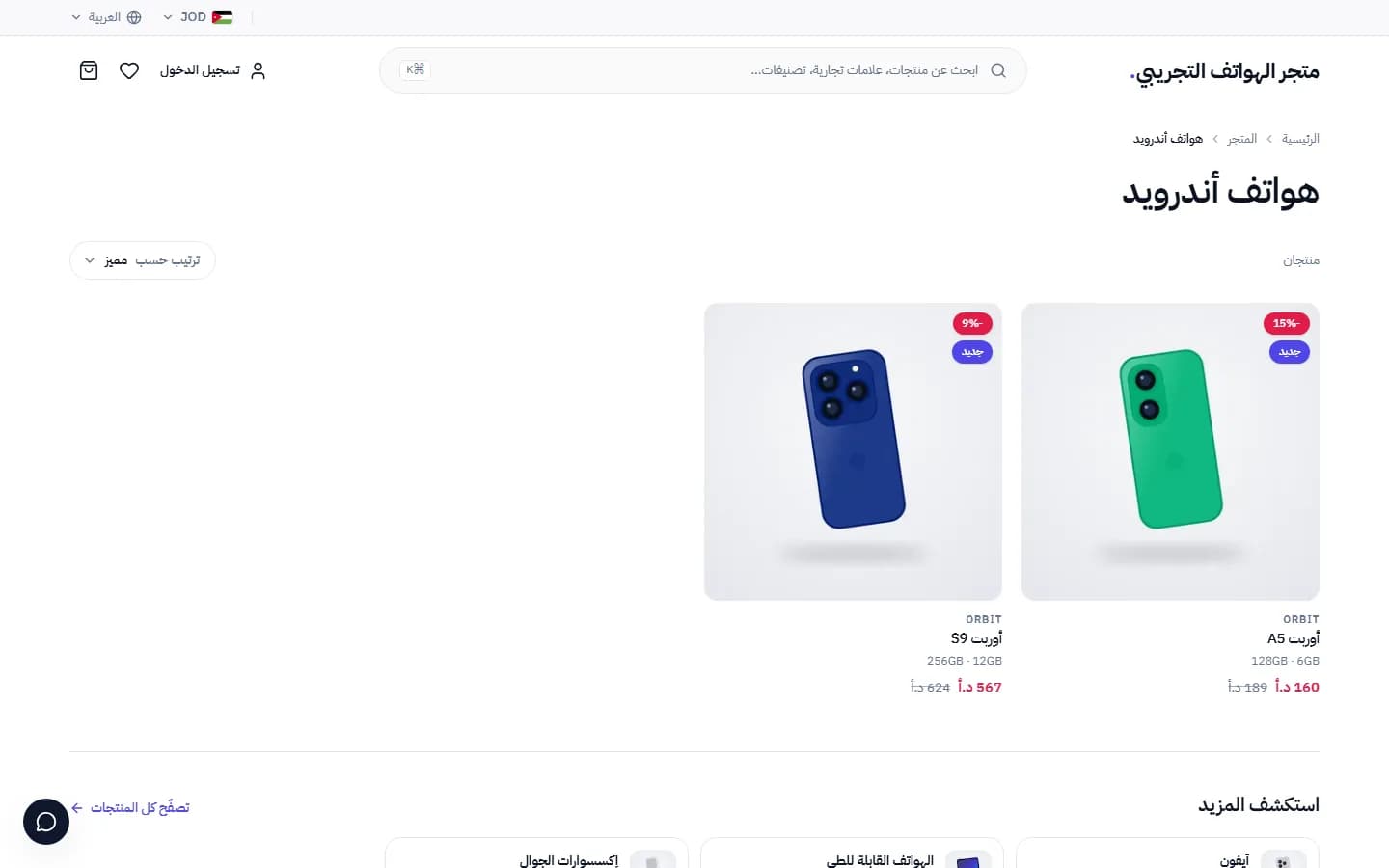
A category page with prices, discounts and short specs · Arabic interface 2A new product
In “Products” add the name in Arabic and English, price, pictures and description, and pick the category and brand.
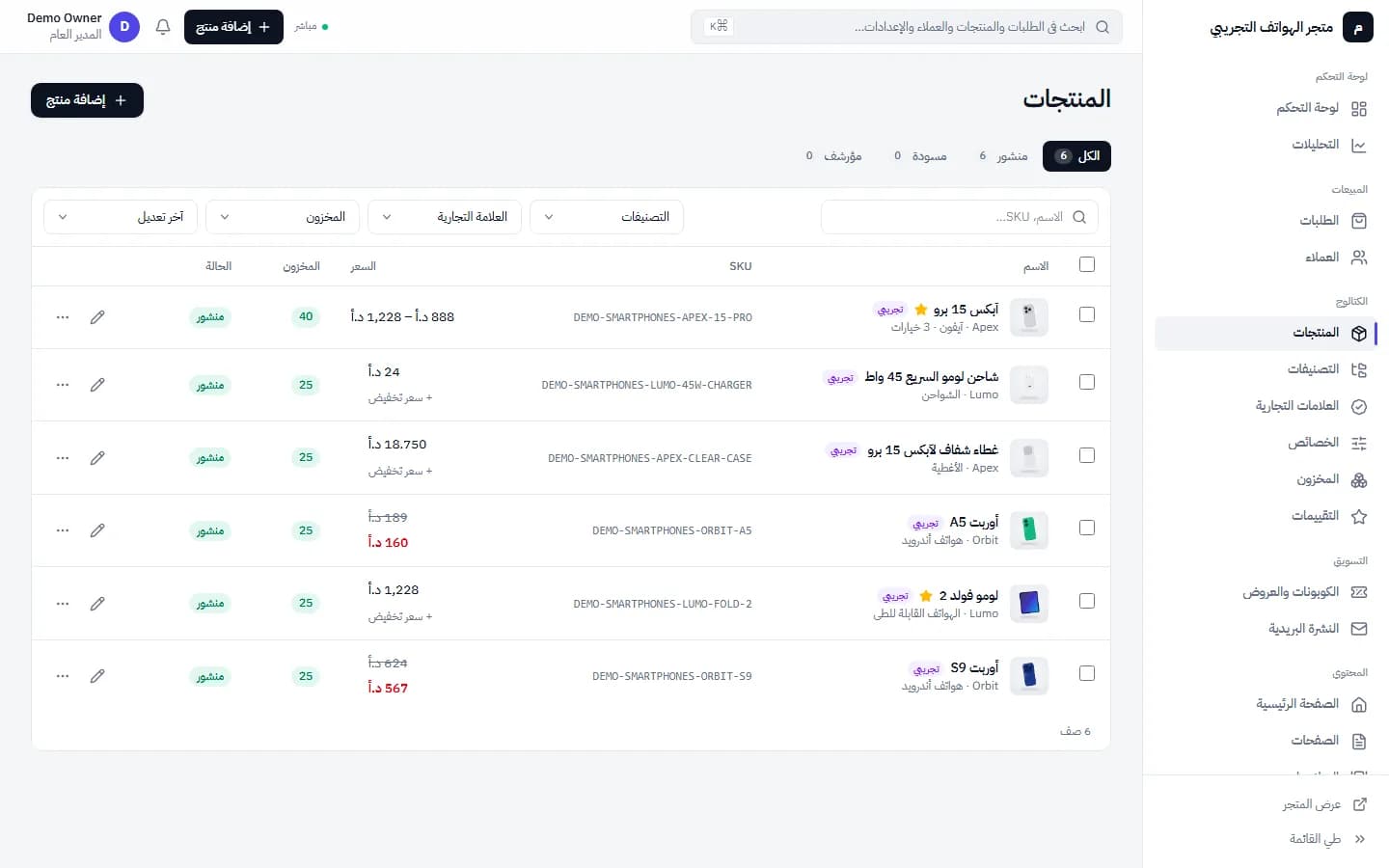
Product management: prices, stock, status and demo products · Arabic interface 3Variants and stock
For products with variants (colour, size, storage) add each with its own price and quantity. “Inventory” shows quantities and alerts.
4The product page
This is how customers see it: pictures, variants, the price in your store currency and the add-to-cart button.
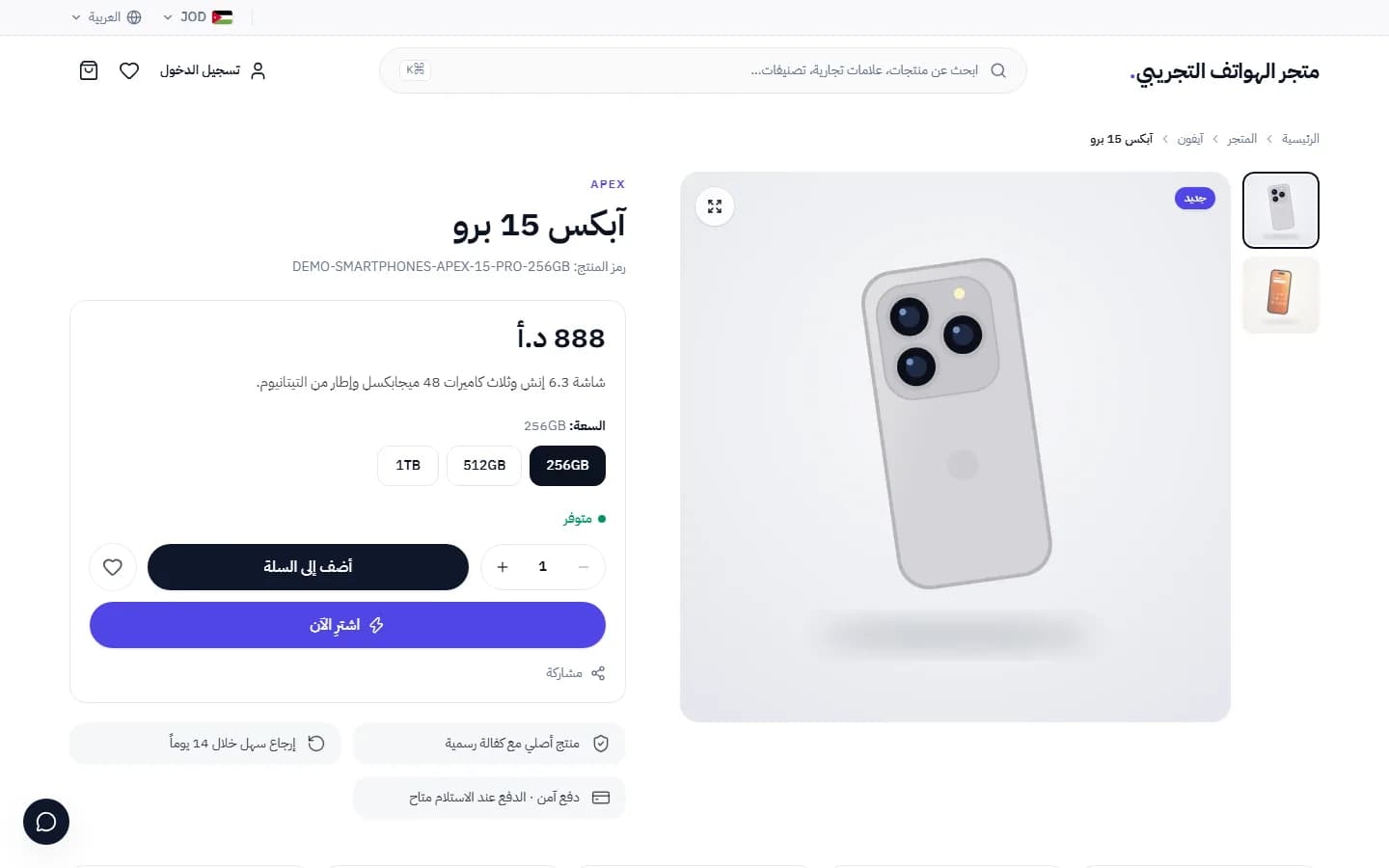
A product page with variants (storage), images and buy buttons · Arabic interface